Shipping iOS Peek and Pop in React Native
17/02/2026
CO-WRITTEN BY ELI AND CODEX
Introducing react-native-peekie: a Peek and Pop React Native library for iOS.

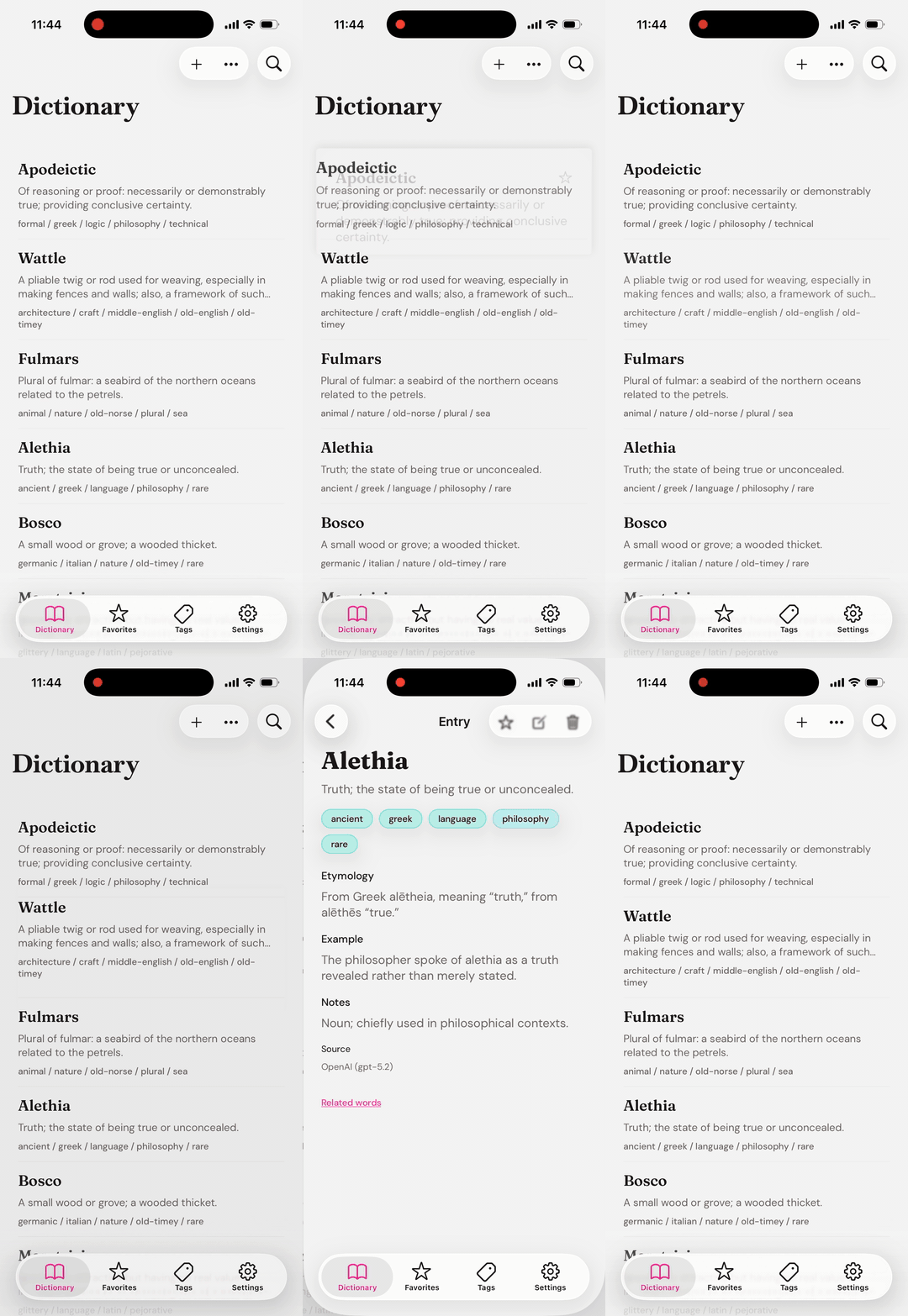
Peek and Pop is one of those interactions that I didn't realize wasn't built into React Native/React Navigation until I tried it. But now it is possible to have it: react-native-peekie is a small iOS-focused Expo module designed to make that integration predictable in production code.
What problem this module solves
iOS exposes preview and commit behavior through UIContextMenuInteraction. On React Native projects, that usually means custom native work, one-off wrappers, or coupling the feature to a specific router. The goal here was a reusable module with a compositional API that stays router-agnostic.
The source code for this module is on GitHub. The examples below assume a standard React Navigation setup, but the pattern works with any routing approach, or even no routing at all.
Integration in a real screen
The core model is straightforward: define a trigger surface, define a preview surface, and handle commit. Commit is where you perform the real navigation.
BASH
npm install react-native-peekieTSX
import * as React from "react";
import { Text, View } from "react-native";
import { useNavigation } from "@react-navigation/native";
import { PeekPreview } from "react-native-peekie";

export function Row({ id, title }: { id: string; title: string }) {
  const navigation = useNavigation();

  return (
    <PeekPreview
      previewKey={id}
      onCommit={() => navigation.navigate("Detail", { id })}
      preferredContentSize={{ width: 320, height: 240 }}
    >
      <PeekPreview.Trigger>
        <Text>{title}</Text>
      </PeekPreview.Trigger>

      <PeekPreview.Preview>
        <View>
          <Text>{title}</Text>
        </View>
      </PeekPreview.Preview>
    </PeekPreview>
  );
}
This module is intentionally iOS-only and requires a development build (custom native code). It is not supported in Expo Go.
Current expectations are iOS 15.1 or newer and modern Expo/React Native versions. If your app targets older runtimes, plan for a fallback interaction.
API shape and why it matters
The compositional slot API (PeekPreview.Trigger and PeekPreview.Preview) is the key design decision. It keeps trigger markup and preview markup colocated while avoiding wrapper-heavy component trees.
Another deliberate choice is avoiding a global registry. Each row owns its own preview relationship locally, which scales better in large lists and nested navigation structures.
TS
const { triggerChildren, triggerSlot, previewSlot } = pickSlots(children);
const resolvedTriggerChildren = triggerSlot ? triggerSlot.props.children : triggerChildren;

return (
  <NativePeekPreviewTrigger {...viewProps}>
    {resolvedTriggerChildren}
    {previewSlot ? (
      <NativePeekPreviewContent preferredContentSize={resolvedPreferredContentSize}>
        {previewSlot.props.children}
      </NativePeekPreviewContent>
    ) : null}
  </NativePeekPreviewTrigger>
);Native lifecycle details
On iOS, UIContextMenuInteraction drives three moments that matter to app code: preview is about to be shown, commit happened, and preview finished dismissing. Those map directly to onWillShow, onCommit, and onDismiss so behavior stays easy to reason about from TypeScript.

TS
const handleWillShow = (_event: PeekPreviewEvent) => onWillShow?.();
const handleCommit = (_event: PeekPreviewEvent) => onCommit();
const handleDismiss = (_event: PeekPreviewEvent) => onDismiss?.();Sizing and scroll behavior
Explicit preferredContentSize plus scrollable preview content gives a predictable experience across different row widths.
When this native pattern is the right call
Native integration is worth the cost when the interaction is system-owned, touch-sensitive, and user expectations are tied to platform behavior. Peek and Pop is exactly that case.
Production checklist
Before shipping, verify:
1. Behavior when preview content is missing.
2. Scrolling with long preview bodies.
3. Commit navigation parameter integrity.
4. Repeated open and dismiss cycles.
5. Row reuse behavior in long lists.
Conclusion
The integration surface can stay small without hiding the platform realities. A compositional API plus clear lifecycle boundaries gives you native interaction quality and predictable app behavior at the same time. This was really fun to build and ship! Thanks for reading!